Singleton
The singleton design pattern ensures that a class has only one instance and provides a global point of access to it. It’s commonly used when exactly one object is needed to coordinate actions across a program, such as a configuration manager, system timer, or a database connection.
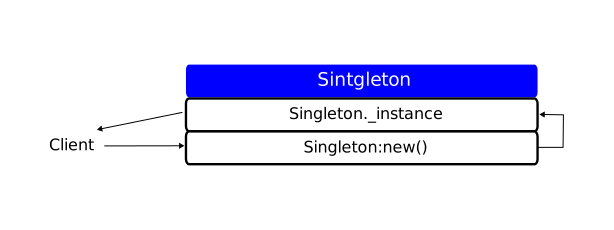
Singleton is one of the easiest creational design patterns, and implementation is straightforward.
---@module Singleton
---@class Singleton
local Singleton = {}
Singleton.__index = Singleton

---@return Singleton
function Singleton:new()
    if not Singleton._instance then
        Singleton._instance = setmetatable({}, self)
    end
    return Singleton._instance
end

return Singleton:new()
Usage of Singleton
It is an important demonstration that newly created counters are pointing to the same object in the memory.
---@class GlobalCounter
---@property count number
local GlobalCounter = require("Singleton")

---Increments the global counter by 1.
function GlobalCounter:increment()
    if not GlobalCounter.count then
        GlobalCounter.count = 0
    end
    GlobalCounter.count = GlobalCounter.count + 1
end

local counter1 = GlobalCounter:new()
local counter2 = GlobalCounter:new()

counter1:increment()
counter1:increment()
counter2:increment()
counter2:increment()
print(counter1.count, counter2.count, GlobalCounter.count)
print(counter1, counter2, GlobalCounter)

--As you can see, output is 4 for all of the counter, and below is proof that these are pointing
--to the same object in the memory.

--4       4       4
--table: 0x563611f29f80   table: 0x563611f29f80   table: 0x563611f29f80